Institutional Work
File Service — Archive File System Renewal
Designing ICPSR's reusable file service around upload confidence, pipeline visibility, and recoverable file states.
UX Designer · ICPSR · 2022–2025
Context
Renew File service for archival data storage to support reliable uploads and pipeline visibility.
Role
UX Designer
Timeline
2022–2025
Track
Institutional Work
The Breakpoint
File workflows had outgrown
the interface meant to explain
what was happening.
ICPSR's file workflows supported complex archival work, but the user experience had not kept pace with the scale and variability of that work. Researchers and staff needed clearer confirmation, processing visibility, and recovery paths when a file required attention. Without that layer, the system asked users to trust a process they could not see.
My Role
Defined the UX for ICPSR's reusable file service: a shared interface model for uploads, processing states, metadata display, and staff-facing status visibility. Led discovery, the two-axis display framework, metadata tier design, and the pipeline visibility model.
Context & Problem
Files are the core of ICPSR's digital assets — research data, documentation, and supplementary materials deposited by researchers worldwide. But the existing systems for handling those files had accumulated workflow and visibility gaps. Different applications handled upload, processing, and file metadata in different ways, which made the experience harder to maintain and harder for users to trust at scale.
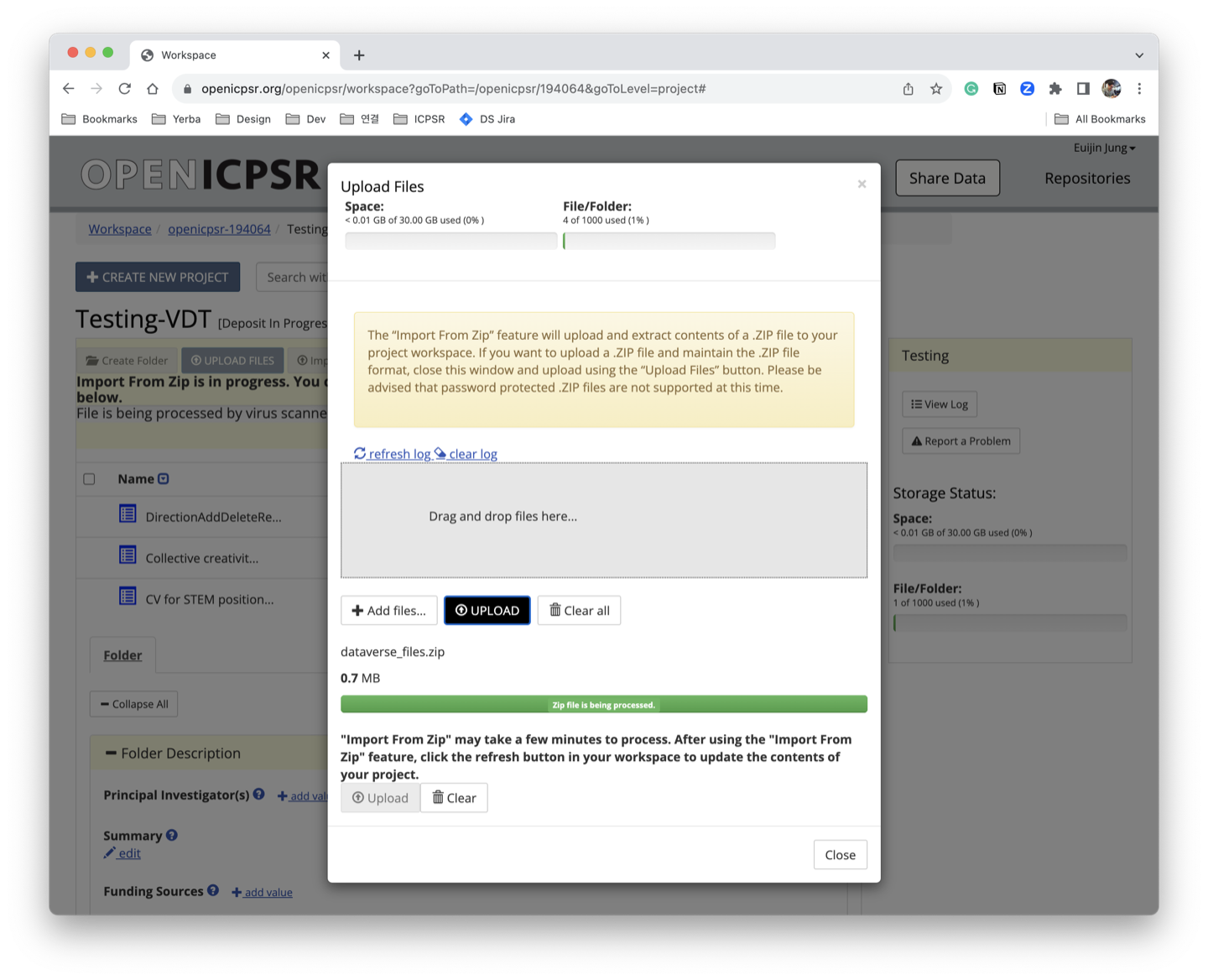
The UX gaps were layered on top of a complex service environment. Researchers had limited visibility into where their files were in the processing pipeline. Steps were unclear. Status indicators were hidden or absent. The interaction model had not been designed for the actual range of users, from first-time depositors to PIs managing many files across multi-year studies.
What the user sees
- Click upload
- Uploader popup
- Upload reaches 100%; popup can close
- File appears in list
- Actions disabled
- Ready
What the system is doing
- Upload starts
- File transfer completes
- Post-processing begins
- Validation checks
- Metadata processing
- File preparation
- File available
The existing workflow offered limited user-facing state visibility. Files entered the service, but users had few cues about what was happening next.
Pipeline Visibility & Status Design
The MVP focused on three things: making upload progress understandable, making file processing states visible, and surfacing status updates as files moved through the service.
The staff-facing view was designed separately from the researcher-facing view. Staff needed provenance and processing history; researchers needed status confidence. Both needed clear error states, because unresolved file states were the core trust problem.
Later updates extended the service model to support more complex file structures, batch-oriented workflows, and clearer handling for larger deposits.
Temporary workbench
File Uploader
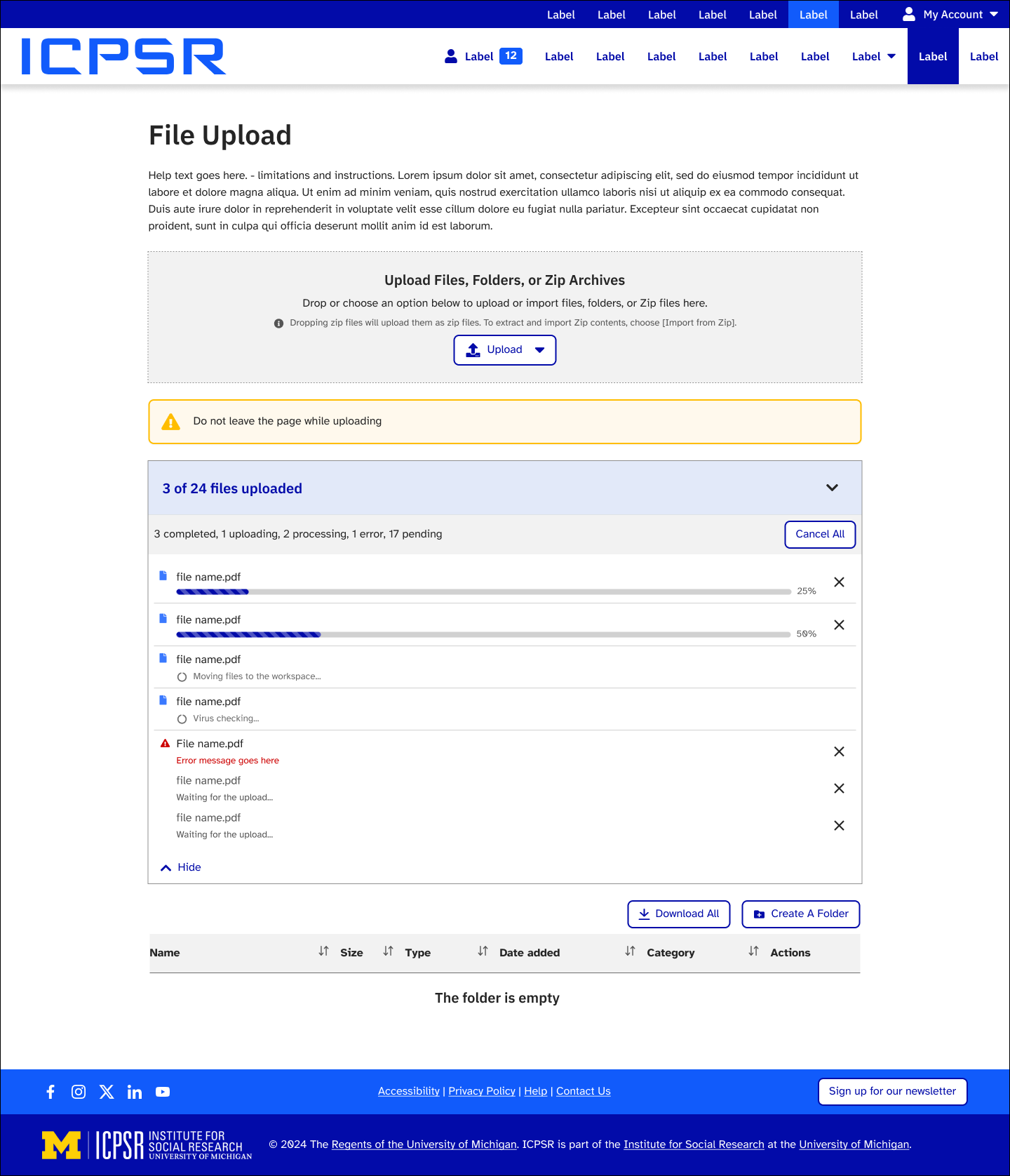
Disappears when every upload completes successfully.
Completed surface
File Browser
Everything visible here can be acted on without waiting.
The redesigned model separates responsibility: the uploader holds active or unresolved work, while the browser shows only completed files and folders with actions available.
The Two-Axis Display Problem
A key insight from discovery: file list UI behavior is governed by two independent axes — screen size and contextual importance — and they don't always move together. Prior designs had treated this as purely a responsive breakpoint problem, which produced the wrong solution.
A PI on mobile reviewing an archived deposit is a fundamentally different problem from a novice depositor on desktop uploading a single file for the first time — even though one is "small screen" and one is "large screen." Collapsing metadata at a CSS breakpoint doesn't solve either case correctly.
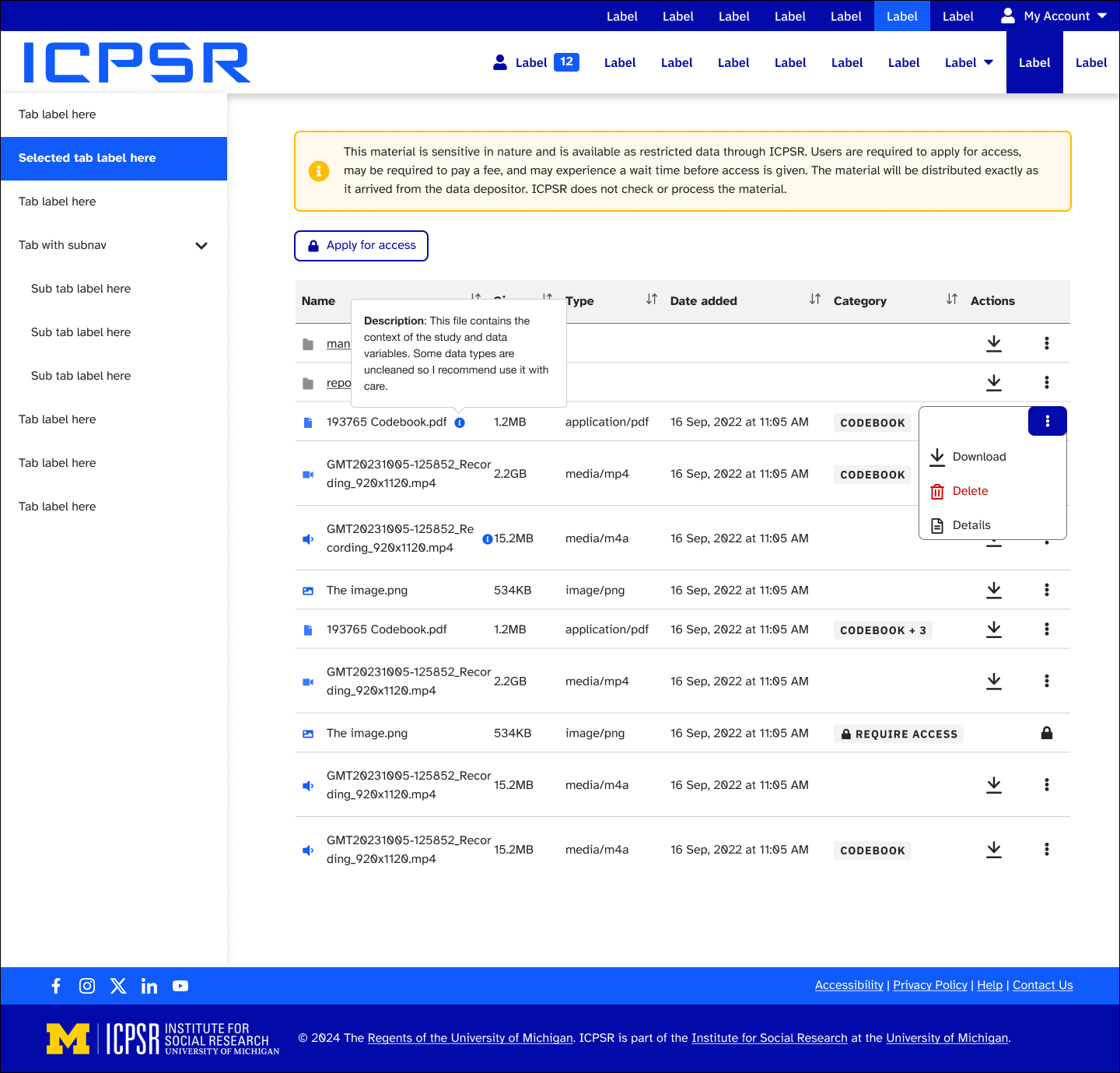
The two axes produce four meaningful quadrants. Rather than hiding metadata at breakpoints, we assigned each field a display tier based on both axes together: how much screen space exists, and how much contextual importance this field has for the user's current task. A field earns its place in the visible tier — it isn't shown by default and progressively hidden.
The two-axis model produces four distinct display contexts. Metadata priority tiers are assigned based on this matrix, not just viewport width.
Outcomes
MVP
Reusable file-service UX shipped with clearer upload progress, processing visibility, and status feedback.
2-axis
Display framework replacing breakpoint-only approach — file UI now adapts to both screen size and contextual importance.
Visible
Error and processing states became easier to recognize, explain, and recover from across the file workflow.